Vocabulary/ A2 Vocabulary lessons and / Technology – A2 English Vocabulary
Technology
Learn essential vocabulary for digital devices, the internet, and common tech actions
About This Lesson
In this A2 vocabulary lesson on Technology, you’ll learn essential terms for digital devices, the internet, and related actions. The pictures, descriptions, and examples below will help you understand and remember the terms.
Devices and Computer Parts
Common hardware you use every day
The Internet
Key terms for browsing, sharing, and connecting online
Technology Verbs
Actions you do with your devices and online

Technology Vocabulary
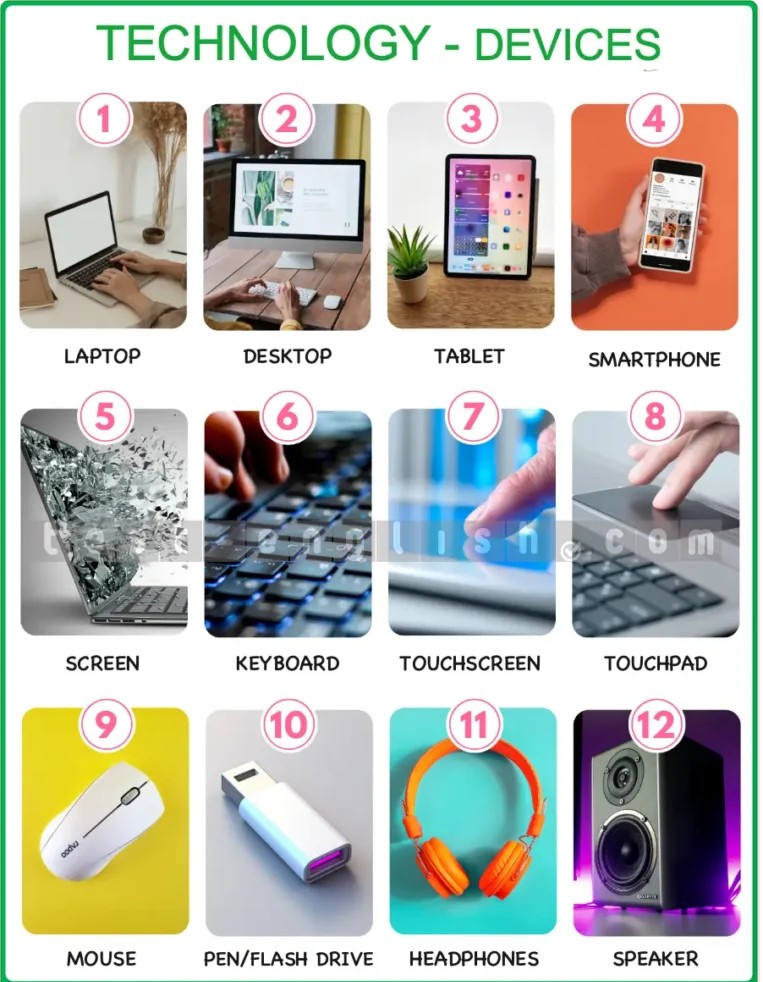
laptop — Devices and computer parts
I took my laptop out of my bag and switched it on.
desktop — Devices and computer parts
Joe was in his office, working on his desktop.
tablet — Devices and computer parts
My tablet is smaller than my laptop, so it’s easier to carry.
smartphone — Devices and computer parts
I use my smartphone to make phone calls, send messages, and check emails.
screen — Devices and computer parts
My laptop has a wide screen, so it’s great for watching movies.
keyboard — Devices and computer parts
I could hear Mike typing on his keyboard in his office.
touchscreen — Devices and computer parts
The touchscreen on my tablet is sensitive to the movement of my finger.
touchpad — Devices and computer parts
I use the touchpad on my laptop to move the cursor around the screen.
mouse — Devices and computer parts
Sam’s hand was on the mouse next to his computer.
pen drive / flash drive — Devices and computer parts
I stored the files on a pen drive so that Jim could copy them to his laptop.
headphones — Devices and computer parts
Peter was listening to music with his headphones.
speaker — Devices and computer parts
The music wasn’t loud enough, so I plugged in my speaker.
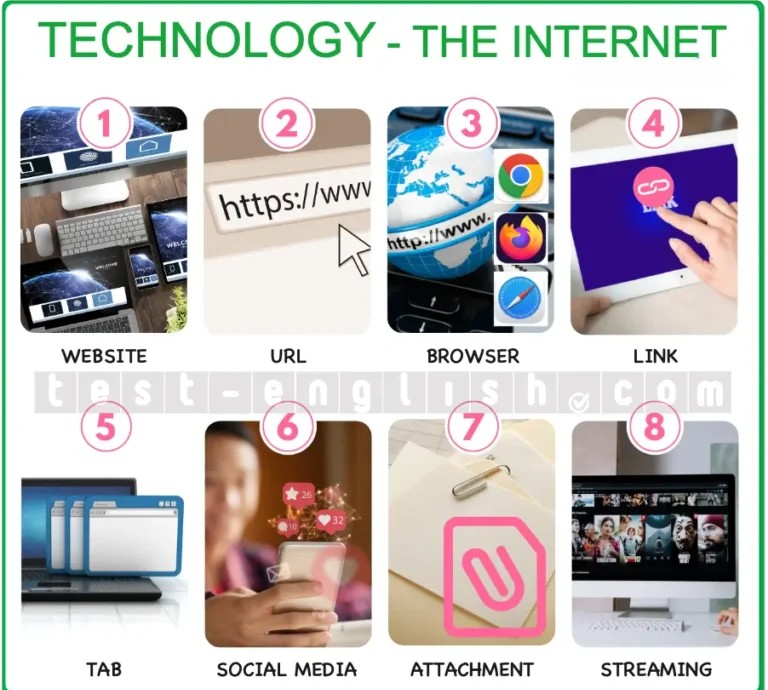
website — The Internet
You can find more information about the company on their website.
URL — The Internet
Here’s the URL for the restaurant’s website.
browser — The Internet
The most popular browsers are Google Chrome, Safari, Microsoft Edge, Mozilla Firefox, and Opera.
link — The Internet
I included links to some helpful web pages at the bottom of the email.
tab — The Internet
Open this web page in a new tab.
social media — The Internet
I use social media to keep in touch with friends and family.
attachment — The Internet
Alice sent me a file as an attachment in her email.
streaming — The Internet
I never watch TV. I watch films and series on streaming platforms.
plug in — Verbs
The printer is not working because it’s not plugged in.
unplug — Verbs
When I’d finished using my laptop, I unplugged it and put it in my bag.
charge — Verbs
I need to charge my phone because my battery is low.
switch on — Verbs
As soon as I get to work, I switch on my desktop and check my emails.
switch off — Verbs
Remember to switch off the computer when you’ve finished using it.
sign in / log in — Verbs
Before I could start shopping, I had to sign into my account.
sign out / log out — Verbs
After I’d finished shopping, I signed out of my account.
go online — Verbs
I usually go online as soon as I wake up in the morning.
upload — Verbs
Luke uploaded all his photos to his cloud account.
download — Verbs
Is it OK to download this PDF file?
scroll up / down — Verbs
I scrolled up to the top of the page and clicked on the menu. I scrolled down to the bottom of the page to read the rest of the article.
share — Verbs
Mike shared the document with me so that I could read it and make changes.
Useful Language with Technology
User Might Say:
- 💬 Can you help me log in?
- 💬 My battery is low—I need to charge my phone.
- 💬 I can’t find the file. Did you upload it?
- 💬 How do I download this video?
Tech Support Might Say:
- 🛠️ Have you tried restarting your device?
- 🛠️ Make sure it’s plugged in and switched on.
- 🛠️ You need to sign in before you can access that page.
- 🛠️ Check if your browser is up to date.